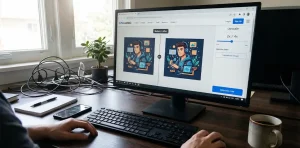
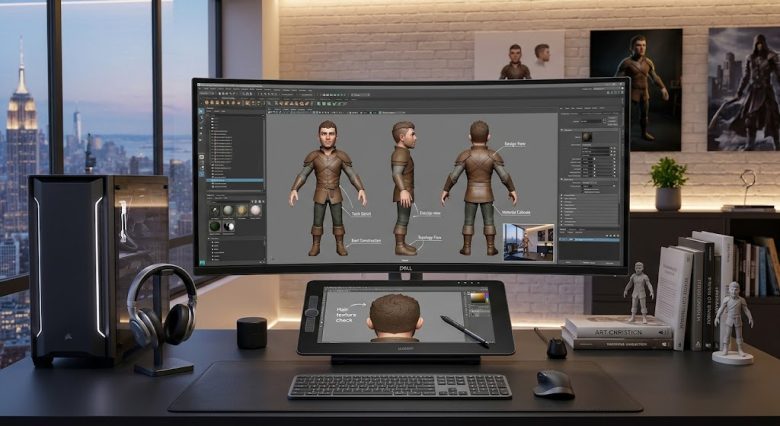
Creating a stunning, single piece of AI-generated art is relatively simple. The real technical challenge begins when you attempt to take that exact same character and place them into a sequential narrative. Whether you are storyboarding a short film, designing a graphic novel, or producing a multi-scene 3D animated comedy, AI image generators naturally suffer from “amnesia.”
Every time you generate a new prompt, the software attempts to build a completely new subject from scratch based on its training data. A character with a red jacket and messy hair in frame one might suddenly have a different facial structure, altered clothing details, and entirely different hair volume in frame two.
For digital publishers and video producers, fixing duplicate character generation errors and maintaining visual continuity is the hardest part of the workflow. Relying on sheer luck and thousands of re-rolls is a massive waste of computing credits and time.
Achieving true continuity requires a structured approach to prompting, utilizing specific seed parameters, and leveraging advanced reference tools. Here are the exact techniques to lock in character designs and seamlessly transition them across diverse scenes and lighting conditions.
Building a Robust Textual Anchor
The foundation of character consistency is a highly specific, repeatable text string known as a textual anchor. If your prompt simply asks for “a young boy with brown hair,” the AI has millions of ways to interpret that data.
You must define the character’s physical traits, clothing, and aesthetic style in a rigid sequence. This sequence must be copied and pasted into every single prompt for that specific narrative.
A strong textual anchor details age, ethnicity, hair style, eye color, specific clothing items, and artistic medium. For example, instead of a vague description, use: “A 10-year-old 3D animated boy, round face, large brown eyes, messy black hair, wearing a green oversized hoodie and blue sneakers, Pixar style, highly detailed.”
Place this exact text string at the very beginning of your prompt every time. By feeding the AI the exact same highly detailed anchor, you drastically narrow down its generative possibilities, forcing it to render a subject that closely resembles your original design in every output.
Mastering Seed Locking and Job IDs
Every image generated by platforms like Midjourney or Stable Diffusion is assigned a unique numerical identifier called a seed number. Think of the seed as the initial static noise pattern the AI used to build the image.
If you generate a character you love, generating a new prompt will use a random seed, resulting in a different character. By extracting the seed number from your successful image and adding it to your future prompts (using parameters like --seed [number] in Midjourney), you force the AI to start from that exact same noise pattern.
Seed locking works best when combined with your textual anchor. However, seed locking is highly sensitive. If you change too many variables in your prompt—such as moving the character from a bright indoor room to a complex outdoor environment—the seed’s influence can weaken.
To maintain the seed’s power across scenes, change only one or two words at a time. If you need the character to sit down, change only the action verb while keeping the background and textual anchor identical. Gradually morph the scene over several generations rather than making jarring leaps.
Utilizing Character Reference Parameters
Recent updates to major AI models have introduced dedicated character reference features, which have revolutionized storyboarding workflows. In Midjourney, this is known as the --cref (Character Reference) parameter.
Instead of relying solely on text and seeds, you provide the AI with a URL link to your chosen character image. The AI analyzes the facial features, clothing, and proportions of the reference image and applies them to the new generation.
You can control how strictly the AI adheres to this image using a character weight parameter (--cw). Setting the weight to its maximum value forces the AI to replicate both the face and the exact clothing from the reference image.
If you need the character to change outfits for a different scene, you can lower the character weight. A lower weight tells the AI to keep the facial structure and physical identity identical, but allows it to generate entirely new clothing based on your text prompt. This is vital for narratives where time passes and characters must adapt to new environments.
ControlNet for Exact Posing and Composition
When building a storyboard, you cannot settle for the AI randomly deciding where your character stands. You need specific camera angles—over-the-shoulder shots, low-angle action poses, or precise interactions with props.
Stable Diffusion users have access to ControlNet, a neural network extension that provides absolute control over composition. The OpenPose module within ControlNet is the most powerful tool for multi-scene consistency.
OpenPose allows you to input a reference image of a human pose, or manually manipulate a digital skeleton. The AI will then generate your anchored character mapped perfectly onto that skeletal wireframe.
This eliminates the frustration of generating a character who looks correct but is facing the wrong direction or standing in a stiff, unusable posture. By combining a fixed textual anchor, a consistent seed, and an OpenPose wireframe, you achieve near-perfect continuity across sequential panels.
Fixing Environmental Lighting and Shadow Drift
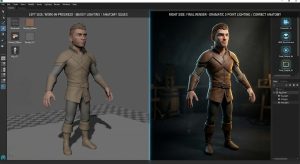
One of the most common issues in multi-scene storyboarding is lighting inconsistency. When moving a character from a bright daytime scene to a nighttime environment, the AI often alters the character’s core colors, completely losing the established design.
For example, if you place your 3D character in a bustling, neon-lit street-food market at night, the AI might generate heavy dark lighting that obscures their facial details or changes the color of their clothing. Conversely, moving them to a bright, sunny family garden might wash out their features.
To prevent this, you must explicitly separate the character description from the lighting description in your prompt structure.
Use prompt weighting or multi-prompting to instruct the AI to light the scene independently of the character. Include phrases like “cinematic rim lighting” or “soft key light on face” to ensure the subject remains visible regardless of the background environment. If dark lighting persists in nighttime scenes, explicitly add “vibrant colors, clearly visible face, well-lit subject” to force the AI to expose the character properly against the dark backdrop.
Custom LoRA Training for Ultimate Precision
When text anchors, seeds, and reference tools are not enough—especially for highly unique or complex character designs—training a custom model is the definitive solution.
A LoRA (Low-Rank Adaptation) is a small, specialized training file that you can plug into an AI model. By feeding the AI 15 to 30 varied images of your specific character, you teach the machine exactly what that character looks like from every angle.
Once trained, you simply trigger the LoRA in your prompt with a specific keyword. The AI will effortlessly reproduce your exact character, complete with all micro-details, in any pose, outfit, or environment you describe.
While training a LoRA requires a minor upfront investment of time and computing power, it permanently solves the character consistency problem. It is the industry standard workflow for anyone producing serialized webcomics, graphic novels, or multi-scene video animations.
Frequently Asked Questions
Why does the AI change my character’s face when they turn sideways?
Most base AI models are heavily trained on front-facing portraits. When you prompt for a profile or side view, the AI has less data to draw from, causing structural shifts. Training a LoRA with multiple side-profile images of your character, or using specific directional keywords like “strict profile shot,” helps mitigate this.
Can I keep a character consistent across different AI platforms?
Achieving exact 1:1 consistency across different platforms (e.g., moving a character from Midjourney to DALL-E 3) is nearly impossible because they use entirely different underlying diffusion models. You must stick to one ecosystem for a specific project to maintain true visual continuity.
Does changing the aspect ratio break character consistency?
Yes, changing the aspect ratio alters the generation resolution, which can change the initial noise pattern (seed). If you generate a successful character in a square format (1:1), generating the exact same prompt and seed in a cinematic format (16:9) will often yield a different result. Decide on your project’s aspect ratio before finalizing character designs.
How many images do I need to train a character LoRA?
You can train a highly effective character LoRA with just 15 to 20 high-quality images. The key is variance: provide images of the character with different facial expressions, varied backgrounds, and multiple camera angles so the AI learns the character’s physical traits rather than just memorizing a single specific photo.
What is the best way to handle multiple characters in the same scene?
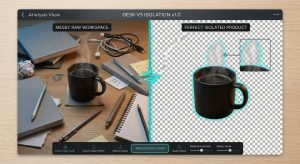
Generating two distinct, consistent characters in a single prompt usually causes the AI to blend their features together (e.g., giving Character A the clothing of Character B). The most reliable method is generating the characters separately on transparent or solid backgrounds and compositing them together later, or using regional prompting tools available in Stable Diffusion UIs.
Sources & References
- Midjourney Documentation: Official guide on utilizing the
--cref(Character Reference) and--cw(Character Weight) parameters. - Stable Diffusion Art: Tutorials on integrating ControlNet and OpenPose for precise composition control.
- Civitai: Community hub and technical documentation for training and implementing custom LoRA models for character consistency.
- Hugging Face: Research papers on the mechanics of latent diffusion models and seed noise generation.