Staring at a blank screen while trying to conceptualize a compelling narrative video is the most common roadblock for digital creators. Whether you are producing 60-second comedy sketches, animated 3D shorts, or dramatic mini-narratives, the demand for high-frequency content requires a rapid ideation process. Waiting for inspiration to strike naturally is no longer a viable strategy for scaling a media channel.
Conversational AI platforms like ChatGPT, Claude, and Gemini have fundamentally changed the pre-production workflow. However, treating a chatbot like a vending machine—where you insert a vague prompt and expect a ready-to-shoot script—always results in stiff, predictable content. The true power of these tools lies in using them as interactive writing partners.
By structuring your brainstorming sessions, defining rigid narrative parameters, and forcing the software to act as a specialized creative consultant, you can generate months’ worth of highly engaging, original video scripts in a single afternoon. Here is the exact framework for leveraging chatbots to engineer high-retention short narrative video scripts.
The Anatomy of a High-Retention Short Script
Before interacting with an AI, you must establish the structural boundaries of short-form video. The algorithms dictating reach on platforms like YouTube Shorts and TikTok heavily penalize slow pacing. You do not have thirty seconds to establish a setting or introduce a character’s backstory.
A high-performing narrative short must follow a compressed three-act structure, typically executed within 60 to 90 seconds. The “hook” must occur in the first three seconds, instantly establishing the conflict or the comedic premise. The rising action must escalate rapidly through quick dialogue or visual gags, leading to a punchline or climax at the 50-second mark.
When brainstorming with a chatbot, you must explicitly enforce this pacing limit. Large language models naturally default to overly descriptive, novel-like prose. If you do not constrain their output, they will generate two minutes of dialogue before the core conflict even begins, rendering the script useless for short-form media.
Engineering the Foundational Concept Prompt
The quality of an AI-generated script is directly proportional to the density of the initial prompt. A weak prompt, such as “Write a funny script about two friends arguing,” forces the AI to guess the context, tone, and visual style. The result is always generic.
A professional concept prompt sets the precise parameters for the brainstorming session. You must define the environment, the relationship between the characters, the specific genre, and the target runtime.
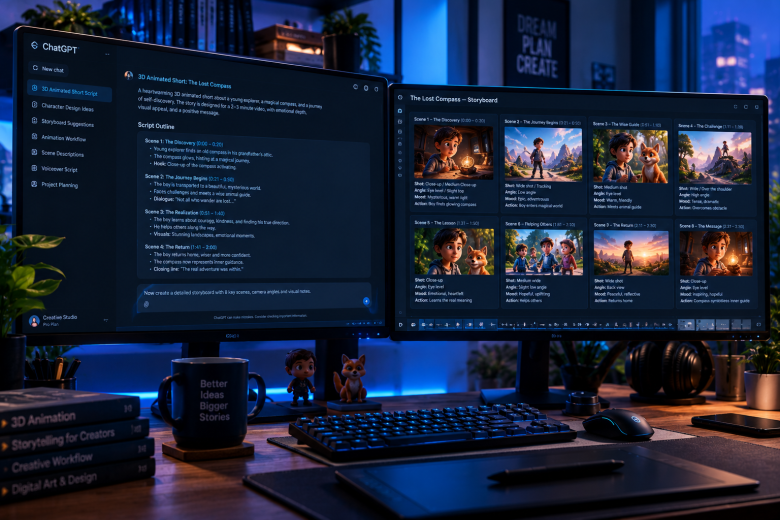
An optimized prompt looks like this: “Act as a veteran comedy sketch writer. We are brainstorming ideas for a 60-second 3D animated video. The setting is a bustling street-food market. The characters are a hyperactive food vendor and a highly skeptical customer. Provide five distinct comedic premises centered around a misunderstanding over a spicy dish. Keep the concepts visual, relying on physical comedy rather than just dialogue.”
This prompt restricts the AI from wandering into random territory. By asking for “premises” rather than a full script, you maintain editorial control. You can review the five ideas, select the strongest one, and then ask the AI to expand that specific concept into a detailed narrative arc.
Developing Character Voices and Motivations
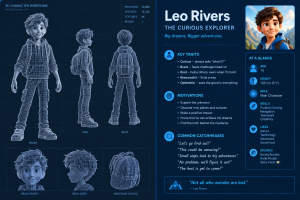
A major flaw in AI-generated scripts is that every character sounds exactly the same. The dialogue often defaults to a polite, robotic tone that lacks human edge, slang, or distinct personality traits. To fix this, you must separate the character development phase from the scriptwriting phase.
Use the chatbot to interview your characters. If you are developing a narrative featuring a chaotic chef and a lazy waiter, tell the AI to adopt the persona of the chef. Ask it questions like, “What is your biggest pet peeve in the kitchen?” or “How do you react when a customer complains about the soup?”
This exercise forces the language model to generate specific vocabulary, catchphrases, and emotional reactions unique to that character profile. Once you have established these distinct voices, you can instruct the AI to maintain those specific speech patterns when drafting the actual dialogue, ensuring the final script features dynamic, contrasting characters.
Enforcing the Two-Column Script Format
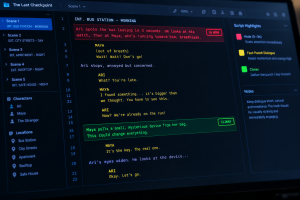
Narrative videos require more than just spoken words. A script must dictate what the audience sees simultaneously with what they hear. Standard paragraph formatting is a nightmare for animators, actors, or video editors to follow during production. You must explicitly command the chatbot to output the final draft in a professional audio/visual split format. This is commonly known as a two-column script.
Instruct the AI with a prompt like: “Format the following script into a two-column table. Column 1 must be titled ‘Visual/Action’ and describe the exact camera angles, character movements, and on-screen text. Column 2 must be titled ‘Audio/Dialogue’ and contain the spoken lines, sound effects, and music cues. Ensure the pacing matches a 60-second runtime.”
This formatting immediately turns a block of text into a functional production document. It allows the creator to visualize the scene transitions, plan the camera blocking, and identify where visual humor can replace unnecessary dialogue.
Erasing Cliches and Forced Morals
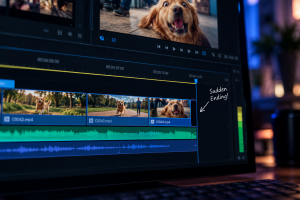
Large language models are programmed with a strong bias toward safety, resolution, and positivity. If left unchecked, an AI will almost always end a script with the characters resolving their differences, learning a valuable lesson, or sharing a polite laugh. In comedy and modern short-form narratives, this is catastrophic. Viral videos thrive on abrupt endings, unresolved tension, dramatic irony, or chaotic punchlines.
To overcome this bias, you must actively prompt against it. When asking the AI to write the final act of your script, include explicit negative constraints. Use phrases like: “Do not end the script with a moral lesson. The ending must be abrupt and chaotic. Do not let the characters resolve the main conflict.”
By aggressively steering the AI away from its default preference for neat, happy endings, you force it to generate punchier, more engaging conclusions that resonate with modern digital audiences.
The Human Polish: Trimming and Timing
No matter how refined your prompts are, an AI draft is never a final draft. The software does not possess an internal metronome; it cannot “feel” comedic timing or the natural rhythm of human speech.
Once the chatbot generates the two-column script, you must read the dialogue out loud with a stopwatch. You will immediately notice words that are difficult to pronounce quickly, sentences that run slightly too long, or jokes that require a visual beat rather than a spoken line.
Ruthlessly cut the fat. If a visual action can replace a line of dialogue, delete the dialogue. If a character says, “I am very angry right now,” replace it with a visual cue of the character slamming a cup on the table. The chatbot provides the structural skeleton; your job as the creator is to inject the timing, the physical humor, and the final editorial polish.
By utilizing chatbots as structural brainstorming partners rather than ghostwriters, you eliminate creative block, standardize your pre-production formatting, and vastly increase the volume of high-quality narrative content you can produce.
Frequently Asked Questions
How long should a script be for a 60-second narrative video?
A general rule of thumb for standard pacing is that 130 to 150 words of spoken dialogue equates to roughly one minute of screen time. However, if your video relies heavily on visual gags, physical comedy, or silent reactions, the word count should be significantly lower to allow time for those actions to breathe.
Which AI model is best for writing comedic scripts? While ChatGPT (GPT-4) is excellent for structural formatting, Claude is widely considered superior for creative writing, dialogue, and capturing nuanced human tones. Gemini also performs well for brainstorming rapid-fire premises. Testing the same concept prompt across different models often yields the best variety of ideas.
How do I prevent the AI from making the dialogue sound robotic?
Stop asking the AI to write the entire script at once. First, prompt it to create distinct character profiles with unique vocabulary, slang, and emotional triggers. Then, instruct the AI to write the dialogue strictly adhering to those specific profiles, and always read the output out loud to manually fix unnatural phrasing.
Can I copyright a script generated by an AI chatbot?
Copyright law currently dictates that works generated entirely by a machine cannot be copyrighted. However, if you use the AI solely as a brainstorming tool and heavily modify, edit, and direct the narrative structure yourself, the resulting produced video is generally protected as your own original creative expression.
Why does the AI always summarize the video at the end of the script?
Language models are trained on essays and informational articles, which naturally conclude with summaries. To stop this in scriptwriting, add a strict negative constraint to your prompt: “Do not include a narrator summary. End the scene immediately after the final line of dialogue or action.”
Sources & References
- YouTube Creator Academy: Best practices for short-form video pacing and audience retention in YouTube Shorts.
- MasterClass: Principles of the three-act structure and character development in screenwriting.
- OpenAI Documentation: Guidelines on assigning roles, personas, and negative constraints to language models for creative writing.
- Writers Guild of America (WGA): Standardized formatting guidelines for dual-column audio/visual scripts used in commercial and animation production.